📑Table of Contents:
- Start With the Fire TV Home Screen
- Install Official Streaming Apps
- Use Prime Video Rentals and Purchases
- Try Free Ad-Supported Movie Apps
- Use JustWatch or Similar Search Tools
- Understand New Movie Release Windows
- Avoid Piracy Apps and Risky APKs
- Improve Playback Quality
- Set Up Parental Controls
- Final Thoughts
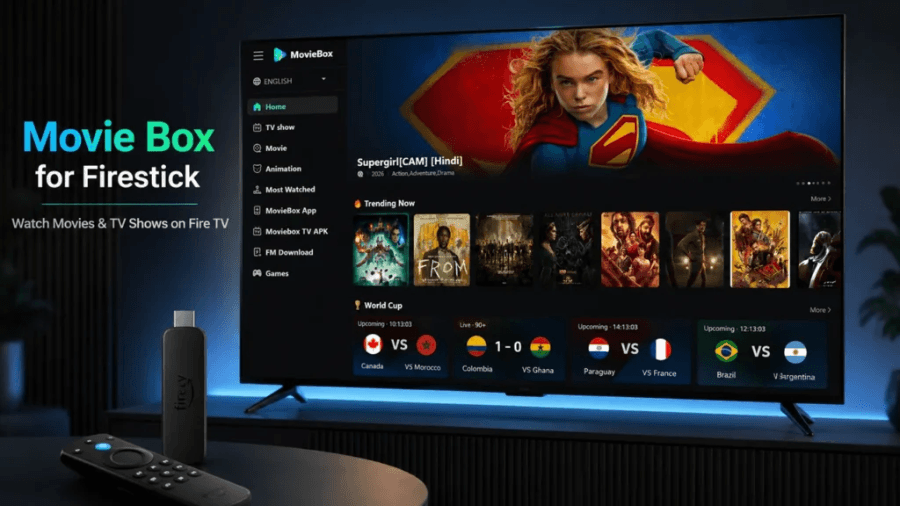
Learning how to watch new movies on a Firestick is simple when you use the right apps and legal streaming options. Amazon Fire TV devices support major subscription services, rental stores, free ad-supported apps, live TV platforms, and movie-search tools. Therefore, you do not need risky APKs or suspicious “free movie” apps to find recent releases.
A Fire TV Stick works best as a central streaming hub. You can install apps, search across services, rent or buy digital movies, watch free ad-supported titles, and use voice search through Alexa. However, not all new movies arrive in the same place. Some go to theaters first. Others move to premium video-on-demand, then subscription streaming, and finally free ad-supported platforms. As a result, the best method depends on how new the movie is, which service owns the rights, and whether you want to pay once or subscribe.
Start With the Fire TV Home Screen
The Fire TV home screen gives you several ways to find movies. You can browse recommendations, open apps, use the search bar, or press the Alexa button on the remote and say the movie title. If the movie appears across multiple services, Fire TV may show rental, purchase, subscription, or free viewing options.
This search feature saves time because new movies often move between platforms. For example, a film may first appear as a paid rental on Prime Video, Apple TV, or Fandango at Home. Later, it may arrive on Netflix, Disney+, Max, Hulu, Peacock, or Paramount+. Eventually, it may show up on a free ad-supported service.
However, search results can still vary by country, account, and app availability. Therefore, if Fire TV search does not show the title, check the individual streaming apps or use a dedicated guide such as JustWatch.
Install Official Streaming Apps
The safest way to watch new movies on a Firestick is through official apps from the Amazon Appstore. Popular options include Prime Video, Netflix, Disney+, Hulu, Max, Peacock, Paramount+, Apple TV, YouTube, Tubi, Pluto TV, The Roku Channel, and Plex. Some apps require subscriptions, while others offer free ad-supported content.
To install an app, go to the Fire TV search option, type the app name, open the app page, and select “Get” or “Download.” After installation, sign in with your account. Additionally, you can manage subscriptions through the app provider or, in some cases, through Amazon.
Official apps matter because they handle licensing, playback quality, subtitles, updates, and account security. Moreover, they reduce the risk of malware, fake links, unstable streams, and copyright problems. If an app promises every new movie for free, especially films still in theaters or premium rental windows, treat it as a warning sign.
Use Prime Video Rentals and Purchases
Prime Video is one of the easiest ways to watch new movies on a Firestick because it comes built into the Amazon ecosystem. Even if a movie is not included with Prime, you may still find it available to rent or buy. This option works well for recent releases that have left theaters but have not reached subscription streaming yet.
Rentals usually give you a limited viewing window. Purchases add the movie to your digital library, although digital ownership still depends on platform terms. Therefore, renting makes sense for a one-time watch, while buying works better for movies you plan to revisit.
Additionally, Prime Video often separates “included with Prime,” “rent,” “buy,” and “free with ads” options. Read the button carefully before clicking. That way, you avoid paying for a movie you expected to stream as part of your subscription.
Try Free Ad-Supported Movie Apps
Free ad-supported streaming services can also work well on Firestick. Apps such as Tubi, Pluto TV, Prime Video’s free section, Fire TV Channels, Freevee-style content areas, Plex, and The Roku Channel offer movies and shows without a traditional subscription. Instead, you watch ads during playback.
These services usually do not get brand-new theatrical releases immediately. However, they often carry popular older movies, recent library titles, family films, action movies, documentaries, and seasonal collections. Therefore, they are useful if you want something new to you rather than the newest movie released this week.
Fire TV Channels also gives Fire TV users a central place to browse free live and on-demand content. This can feel similar to cable because you can scroll through channels, news, entertainment, sports, cooking, and movie options. However, availability changes, so check the guide often.
Use JustWatch or Similar Search Tools
If you want to know exactly where a new movie is streaming, use a search guide such as JustWatch. These tools let you enter a title and see whether it is available through a subscription, rental, purchase, or free ad-supported platform. They can also show which services have HD, 4K, or discounted rental options.
This step helps because streaming rights change constantly. A movie that sits on Peacock today may move to Prime Video later. A title that costs $19.99 as a premium rental may drop to a cheaper rental price after several weeks. Additionally, some films become available to buy before they become available to rent.
Therefore, before subscribing to a new service just for one movie, check whether renting it once would cost less.
Understand New Movie Release Windows
New movies usually follow release windows. First, many major films open in theaters. Next, they may move to premium video-on-demand, where rentals cost more than standard rentals. Then, they may become regular rentals or purchases. After that, they may arrive on subscription streaming. Later, they may move to free ad-supported platforms.
However, the timeline varies. Some streaming originals go directly to Netflix, Prime Video, Apple TV, Disney+, or Hulu. Some smaller films arrive on digital rental quickly. Meanwhile, major studio releases may take longer.
Because of this, a Firestick cannot magically unlock every new film immediately. It can only give access to services that legally carry the movie. If a title does not appear anywhere yet, it may still be in theaters or between release windows.
Avoid Piracy Apps and Risky APKs
Many people search for “how to watch new movies on a Firestick” because they want free access to recent films. However, unofficial APKs and piracy apps can create serious problems. They may stream copyrighted content without permission, expose your device to malware, push fake player downloads, collect personal data, or show aggressive ads.
Additionally, sideloaded apps do not go through the same official app-store process. That means updates, security, and developer accountability can be weaker. Some apps also disappear, change names, or clone each other, which makes it harder to know what you installed.
The safer rule is simple: use official stores, trusted services, and legal content. If a Firestick app offers new theater releases for free with no clear licensing, avoid it.
Improve Playback Quality
After you choose a legal app, make sure your Firestick can stream smoothly. Use a strong Wi-Fi connection, restart the device if apps lag, and keep your Fire TV software updated. For 4K movies, use a Fire TV Stick 4K or 4K Max, a compatible TV, and a fast enough internet connection.
Also, check app settings. Some services let you adjust subtitles, audio formats, autoplay, parental controls, and streaming quality. If a movie buffers, move the router closer, use a Wi-Fi extender, reduce other network use, or try an Ethernet adapter if your setup supports it.
Good playback makes a big difference, especially for action movies, new releases, and 4K titles.
Set Up Parental Controls
If children use the Firestick, set up parental controls. Fire TV lets you require a PIN for purchases, app launches, or certain content ratings. Streaming apps also have their own profile and rating settings.
This matters because new movies can include mature themes, violence, language, or adult content. Additionally, purchase controls prevent accidental rentals or buys. A few minutes of setup can prevent surprise charges and keep viewing age-appropriate.

Final Thoughts
The best way to watch new movies on a Firestick is to use legal streaming apps, Prime Video rentals or purchases, free ad-supported services, and search tools that show where each title is available. Start with Fire TV search, then check Prime Video, your subscription apps, free movie apps, and JustWatch if you cannot find the title.
Ultimately, Fire TV Stick gives you many ways to watch movies, but it does not replace licensing rules. The newest films may require a theater ticket, premium rental, standard rental, purchase, or subscription. Avoid suspicious APKs, install official apps, compare prices, and keep your device updated. That approach gives you better quality, fewer risks, and a much smoother movie night.