📑Table of Contents:
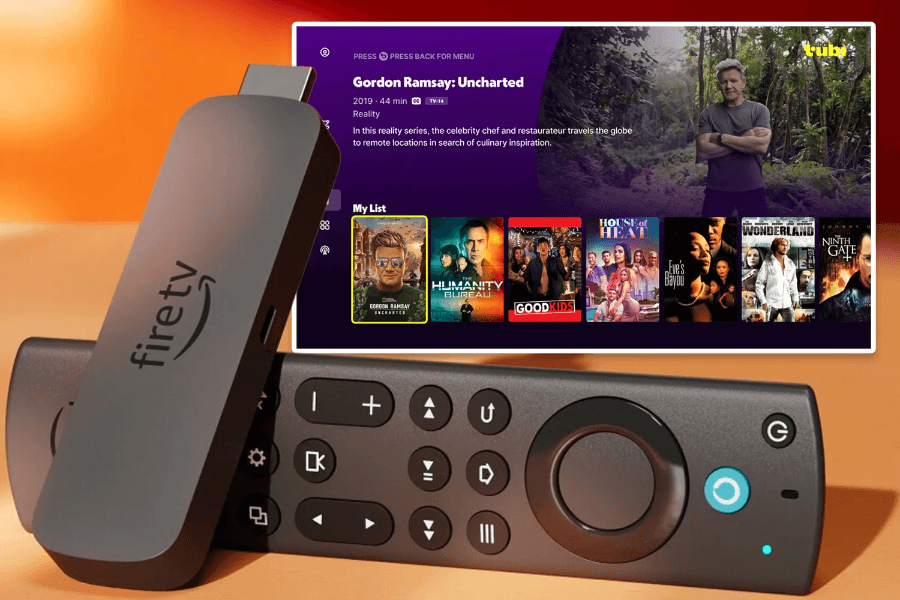
Learning how to watch new movies on Firestick is easy when you understand how Fire TV apps, rentals, purchases, and free streaming services work. Amazon’s Fire TV Stick turns almost any compatible TV into a streaming hub so that you can access Prime Video, Netflix, Disney+, Hulu, Max, Peacock, Paramount+, Apple TV, YouTube, Tubi, Pluto TV, Plex, and many other apps. However, the newest movies do not all appear in one place at the same time.
Some films go to theaters first. Then, they may move to premium video-on-demand, where you can rent them for a higher price. Later, they may become standard rentals or purchases. After that, they may land on subscription streaming. Eventually, some titles reach free ad-supported platforms. Therefore, the best way to watch new movies on Firestick depends on the release window, the studio, your subscriptions, and whether you want to pay once or watch through a service you already use.
Start With Fire TV Search
The easiest first step is Fire TV search. From the home screen, use the search icon or press the Alexa voice button on your remote and say the movie title. Fire TV may show where the movie is available, including subscription apps, rental options, purchase options, or free-with-ads choices.
This saves time because streaming rights change constantly. A movie might appear as a paid rental today and then move to Prime Video, Max, Hulu, Netflix, Disney+, Peacock, or Paramount+ later. Additionally, some movies become available to buy before they become available to rent.
However, Fire TV search may not catch every option in every region. App availability, country, account settings, and subscriptions can affect results. Therefore, if you do not see the title immediately, check individual apps or use a streaming guide such as JustWatch.
Install Official Streaming Apps
The safest way to watch new movies on Firestick is through official apps from the Amazon Appstore. Open the Fire TV search tool, type the app name, select the app, and choose “Get” or “Download.” Then, sign in with your account.
Popular paid services include Prime Video, Netflix, Disney+, Hulu, Max, Peacock, Paramount+, Apple TV, Starz, MGM+, and other premium channels. Meanwhile, free ad-supported services include Tubi, Pluto TV, Plex, The Roku Channel, YouTube, Fire TV Channels, and free sections inside Prime Video.
Official apps matter because they handle licensing, account security, subtitles, playback quality, parental controls, and software updates. Moreover, they reduce the risk of malware, fake links, unstable streams, and copyright problems. If an app claims it can show every new theater release for free, that should raise a serious red flag.
Use Prime Video Rentals and Purchases
Prime Video is one of the most convenient ways to watch new movies on Firestick because it connects directly with the Amazon ecosystem. You can search for a title, then choose “Rent” or “Buy” when the movie is not included with your subscription. Amazon’s Prime Video help page explains that users can search for titles, select Buy or Rent, and choose playback-quality options when available.
Rentals usually give you a limited time to start and finish watching. Purchases stay in your digital library, although all digital purchases still depend on platform terms. Therefore, renting makes sense for a one-time movie night, while buying makes more sense for films you expect to watch repeatedly.
Additionally, read the button carefully. Prime Video often separates “included with Prime,” “rent,” “buy,” and “watch for free” options. That way, you avoid paying for a movie you thought your subscription already covered.
Watch Free Movies With Ads
Firestick also gives you several legal free-movie options. Prime Video has a free streaming section that offers movies, TV shows, and live TV without a subscription. Free ad-supported streaming services such as Tubi, Pluto TV, Plex, YouTube, and The Roku Channel can also provide large movie libraries.
However, these services rarely get the newest theatrical releases right away. Instead, they usually offer older hits, recent library titles, cult favorites, documentaries, family movies, action films, and seasonal collections. Therefore, free apps work best when you want something new to you rather than a movie that opened in theaters last week.
Fire TV Channels also helps users browse free live and on-demand programming in one place. Because free catalogs change often, check back regularly. A movie that is missing today may appear next month, especially after its subscription or rental window changes.
Use JustWatch to Find the Right App
JustWatch is useful when you know the movie title but do not know where it is available. The service describes itself as a streaming guide for movies, TV shows, and sports, and it helps users find where to stream new, popular, and upcoming entertainment. It can show subscription, rental, purchase, and free options across services.
This step can save money. Before you subscribe to a new app for one movie, check whether the title is available as a cheaper rental. Similarly, if a rental price looks high, check whether the movie will soon arrive on a service you already have.
Additionally, JustWatch-style tools help when Fire TV search feels incomplete. Streaming catalogs change quickly, so comparing options gives you a better chance of finding the legal path with the best price and quality.
Understand Movie Release Windows
New movies usually follow a release pattern. First, major films often play in theaters. Next, they may appear as premium rentals or purchases. Then, prices may drop into standard rental territory. After that, the movie may arrive on a subscription streaming service. Later, it may reach free ad-supported platforms.
However, not every movie follows the same path. Some streaming originals debut directly on Netflix, Prime Video, Apple TV, Hulu, Disney+, or Max. Some independent films move to digital rental quickly. Meanwhile, major franchise titles may stay exclusive to theaters longer.
Because of this, Firestick cannot unlock every new movie immediately. It only gives you access to legal services that currently carry the title. If a film does not appear anywhere yet, it may still be in theaters or between release windows.
Avoid Risky APKs and Piracy Apps
Many people search for how to watch new movies on Firestick because they want free access to recent films. However, unofficial APKs and piracy apps can create serious problems. They may stream copyrighted content without permission, show deceptive ads, push fake player downloads, collect personal data, or expose your device to malware.
Research on illegal streaming services has found that free illegal streaming sites often use deceptive ads, scams, malicious extensions, and extensive tracking. Although that study focused on illegal live streaming websites, the same risk pattern applies to many unofficial streaming ecosystems. If a service offers brand-new premium movies for free without a clear license, you should treat it as unsafe.
Additionally, sideloaded apps do not receive the same review and update process as official apps. Clone apps can also copy names and logos, which makes them harder to trust. Therefore, the safest approach is simple: install from official stores, use legal services, and avoid apps that promise impossible access.
Improve Streaming Quality
After you choose a legal app, make sure your Firestick setup can handle the movie. For 4K playback, use a Fire TV Stick 4K or 4K Max, a compatible 4K TV, a strong internet connection, and an app plan that supports 4K when required. Also, keep your Fire TV software and apps updated.
If a movie buffers, restart the Firestick, move the router closer, reduce other network activity, or use an Ethernet adapter if your setup supports it. Additionally, check app settings for subtitles, audio format, video quality, and parental controls.
Good playback matters because new releases often rely on visual detail, sound design, and fast action. A legal stream with stable quality will almost always beat a risky, low-quality stream with pop-ups and buffering.
Set Up Purchase Controls and Profiles
Fire TV Stick makes rentals and purchases convenient, so purchase controls matter. Set a PIN if children or guests use the device. Fire TV and many streaming apps allow parental controls, profile restrictions, and rating limits.
This step prevents accidental rentals and keeps mature movies away from younger viewers. Additionally, profiles help each person keep separate recommendations, watchlists, and continue-watching rows.

Final Thoughts
The best way to watch new movies on Firestick is to use official streaming apps, Prime Video rentals or purchases, free ad-supported services, Fire TV search, and streaming guides such as JustWatch. Start by searching the movie title. Then, compare whether it is available through a subscription, rental, purchase, or free-with-ads option.
Ultimately, Firestick gives you plenty of legal ways to watch movies, but it does not bypass release windows or licensing rules. The newest films may require a theater ticket, premium rental, standard rental, digital purchase, or paid subscription before they become free. Avoid suspicious APKs, use trusted apps, compare prices, and keep your device secure. That approach gives you a smoother, safer, and better movie night.


