📑Table of Contents:
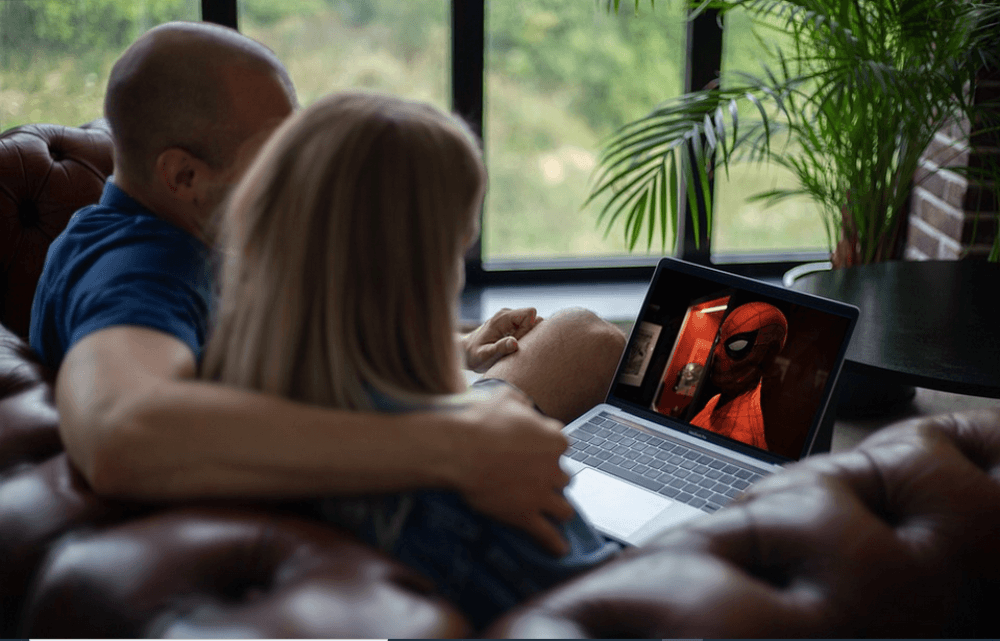
BeeTV for PC is a popular search term among people who want to watch movies and TV shows on a larger screen. BeeTV is commonly described online as an Android-based streaming APK rather than a traditional Windows or Mac app. As a result, many “BeeTV for PC” pages suggest running the mobile app on an Android emulator. However, users should understand the legal, privacy, and security risks before installing any unofficial streaming APK on a computer.
The appeal is obvious. People want free entertainment, simple search, and fast access to movies and shows without juggling multiple subscriptions. However, free third-party streaming apps often create hidden costs: malware risk, invasive ads, unreliable links, copyright issues, data tracking, and account-safety problems. Therefore, anyone considering BeeTV for PC should first understand what it is and what safer options exist.
What Is BeeTV?
BeeTV is usually discussed as an Android streaming app that aggregates links to movies and TV shows. Unlike Netflix, Disney+, Hulu, Max, Prime Video, or Tubi, it does not operate like a mainstream licensed streaming service with clearly published content rights. Instead, many online descriptions frame it as an APK that helps users find streams from external sources.
That distinction matters. A legal streaming platform licenses content from studios, distributors, or rights holders. It then delivers that content through official apps, browser players, smart TV apps, and device stores. BeeTV-style APKs often sit outside that ecosystem. As a result, users may not know where streams come from, who hosts them, or whether the content has proper rights.
Additionally, BeeTV is not widely available as a normal PC application from trusted desktop app stores. Search results often point users toward emulator guides, APK downloads, mirror sites, or third-party pages. Consequently, the installation path itself can create risk.
Why People Search for BeeTV for PC
People search for BeeTV for PC because watching on a laptop or desktop feels more comfortable than watching on a phone. A PC offers a larger screen, keyboard search, better speakers, external monitor support, and sometimes more stable internet connectivity. Additionally, some users want to avoid casting from mobile devices or installing apps on smart TVs.
However, the PC version question creates confusion because BeeTV is generally presented as an Android app; many guides recommend installing an Android emulator such as BlueStacks. BlueStacks itself publishes pages on running Android entertainment apps on PC, including listings for BeeTV. That shows how users can access Android apps on Windows or Mac via emulation, but it does not address whether the streaming source itself is safe, legal, or trustworthy.
Therefore, the real question is not only “Can BeeTV run on PC?” It is “Should you use BeeTV on PC, and what risks come with it?”
The Emulator Issue
An Android emulator lets a computer behave like an Android device. In legitimate cases, emulators help users run mobile games, test apps, or access Android tools on a desktop. However, when someone uses an emulator to install an unofficial streaming APK, the risk shifts from convenience to security.
First, the APK may come from an unknown source. Since unofficial APK files can be modified, a download that claims to be BeeTV may contain extra code, adware, spyware, or unwanted permissions. Second, emulators often require account sign-ins, file access, or system permissions. If a malicious app runs inside that environment, it can still create problems. Third, streaming APK pages often push aggressive ads, fake download buttons, or misleading “update” prompts.
Moreover, research on cracked and third-party Android apps has found that apps from untrusted markets can request more dangerous permissions and behave more aggressively than official versions. That does not mean every APK is malicious, but it does show why caution matters.
Legal Concerns Around BeeTV
Legal risk depends on what content a service offers and whether it has permission to stream it. If an app provides access to copyrighted movies or TV shows without licensing, users may face legal and ethical issues. Some countries focus enforcement on distributors and site operators, while others may also target users in certain situations. Either way, unauthorized streaming supports an ecosystem that does not compensate creators, actors, writers, crews, studios, or distributors.
BeeTV-related guides often include disclaimers about legality because the app’s links may point to third-party sources. That should make users pause. If a service offers new theatrical releases, premium shows, and subscription-only content for free without clear licensing, something likely sits outside the normal rights system.
Therefore, users should avoid treating “free” as equivalent to “legal.” A legal free service usually explains its ad-supported model, licensing partners, and official app availability. A questionable APK often avoids those details.
Security and Privacy Risks
Security may create the biggest practical concern. Free illegal or unauthorized streaming ecosystems often rely on deceptive ads, trackers, suspicious redirects, and pop-ups. Academic research into illegal live streaming services found extensive tracking, deceptive behavior, malicious extension risks, scams, and user-hostile advertising across numerous illegal streaming domains.
That ecosystem can follow users from phone to PC. On a computer, a bad click can lead to browser hijackers, fake antivirus warnings, unwanted extensions, credential theft, or malware downloads. Additionally, some streaming apps and sites may collect device information, IP addresses, viewing behavior, and advertising identifiers.
A mobile security report for a BeeTV-related Android package also rated the app in the “average” security range and flagged issues such as exported activity and weak crypto algorithms. While a single report does not prove that every version is unsafe, it reinforces the broader point: unofficial entertainment APKs warrant caution.
Why “Free” Streaming Can Cost More
BeeTV for PC attracts users because it sounds free. However, hidden costs can appear quickly. A user might spend time closing pop-ups, fixing browser issues, removing unwanted extensions, dealing with slow performance, or worrying about malware. Additionally, poor-quality streams, broken links, buffering, subtitles that do not match, and fake buttons can ruin the viewing experience.
Moreover, unauthorized streaming can expose users to inappropriate ads or scam pages. Some sites push fake software updates. Others imitate trusted brands. Consequently, the “free movie” experience can become a security cleanup project.
This does not mean users need expensive subscriptions for every service. It means legal free options often provide a better trade-off.
Safer Legal Alternatives for PC
Fortunately, PC users have many legal ways to watch free or low-cost movies and shows. Tubi offers free ad-supported movies and TV shows in a browser and across devices. Plex also provides free movies, shows, live TV, and discovery tools. Additionally, Pluto TV, The Roku Channel, YouTube’s free movie selection, Sling Freestream, Kanopy, Hoopla, and library-connected services can give users legitimate content without APK downloads.
These platforms work better for PC because they run in standard browsers or official apps. They also use established ad-supported streaming models. You may watch ads, but you avoid many of the risks tied to unknown APK files and questionable host links.
Additionally, services such as JustWatch can help you find where a movie streams legally. Instead of searching random APK links, you can search the title and compare free, rental, subscription, and purchase options.
How to Stream Safely on a PC
A safer PC streaming setup starts with official sources. Use browser-based services, Microsoft Store apps, macOS App Store apps, or official platform downloads. Keep your browser up to date, enable pop-up blocking, and avoid installing random extensions from streaming sites.
Also, use strong account passwords and two-factor authentication for paid streaming accounts. If a site asks you to disable security settings, install a codec, download a special player, or allow notifications before you can watch, leave. Legitimate streaming platforms do not need suspicious extras.
If you already installed a questionable APK or emulator package, run a security scan, remove unknown extensions, change important passwords, and uninstall anything you do not recognize. Additionally, avoid entering payment or login details into unofficial streaming pages.
Who Should Avoid BeeTV for PC?
Most casual users should avoid using BeeTV on PC because safer alternatives are easier and more reliable. Families should be especially careful, as unofficial streaming sites may display inappropriate ads or redirect children to unsafe pages. Small businesses, schools, and shared computers should also avoid streaming APKs because malware or copyright issues can affect multiple people.
Tech-savvy users may understand emulators and sandboxing better, but even they should consider whether the content source has proper rights. Technical skill does not remove copyright or privacy concerns.

Final Thoughts
BeeTV for PC sounds convenient because it promises free movies and shows on a bigger screen. However, the reality is more complicated. BeeTV is generally discussed as an Android APK, so PC use often depends on emulators, unofficial downloads, and third-party streaming links. That combination can create legal uncertainty, privacy issues, malware exposure, deceptive ads, and unreliable viewing.
Ultimately, safer options exist. Free legal services such as Tubi, Plex, Pluto TV, The Roku Channel, YouTube, Kanopy, and other ad-supported platforms offer PC users a better way to watch without having to chase risky APK files. If your goal is simple entertainment, choose services that clearly explain their licensing, work in a browser, and protect your device. A movie night should not require gambling with your computer’s security.