📑Table of Contents:
- Is BeeTV Available for PC?
- What Does BeeTV for PC Actually Mean?
- Does BeeTV Have an Official Windows App?
- Is BeeTV Kazakhstan the Same as the BeeTV APK?
- Why Do People Want BeeTV on a Computer?
- Are BeeTV APK Files Safe on PC?
- What Should You Check Before Running an Android APK?
- Does an Android Emulator Make BeeTV Safer?
- Can BeeTV PC Stream Movies Legally?
- What Are Safer BeeTV PC Alternatives?
- Why Might BeeTV Run Poorly on PC?
- Should You Download BeeTV for PC?
- BeeTV PC: The Final Answer
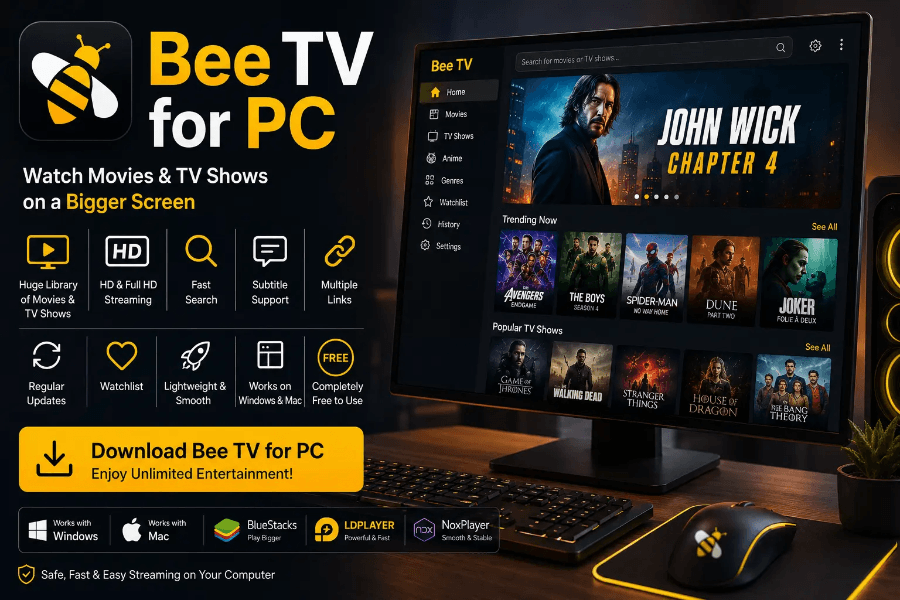
BeeTV PC is a common search term for people who want to watch content from the BeeTV Android app on a larger Windows computer or laptop. However, the phrase can be confusing because the third-party BeeTV streaming app does not currently have a clearly verified native Windows application comparable to mainstream desktop software.
Instead, websites promoting “BeeTV for PC” usually describe running an Android APK inside an Android emulator.
Moreover, several unrelated services and applications use the BeeTV name. Therefore, anyone searching for BeeTV on Windows should first identify exactly which product they mean and understand the security implications before installing unfamiliar software.
Is BeeTV Available for PC?
The third-party BeeTV app commonly mentioned in streaming tutorials primarily targets Android devices.
Therefore, a traditional Windows installer is generally not available from a clearly verifiable publisher.
A normal Windows program usually arrives as an .exe or Microsoft Store application designed specifically for Windows. BeeTV, by contrast, commonly appears as an Android Package Kit, or APK.
Consequently, websites that advertise “BeeTV Windows” often mean that users can run the Android app through an emulator.
That distinction matters because an emulated Android application does not become a native PC program. Instead, the computer runs a virtual Android environment in which the mobile application operates.
What Does BeeTV for PC Actually Mean?
In most cases, BeeTV for PC refers to an Android version running within emulator software.
Android emulators create a software environment that behaves somewhat like an Android tablet or phone. As a result, compatible Android apps can run inside a window on a desktop computer.
However, this approach adds another software layer.
The emulator uses additional RAM, storage, processor resources, and graphics power. As a result, performance can vary significantly between computers.
Moreover, users still need the original Android application file.
That creates the biggest concern. If the APK comes from an unknown or modified source, using an emulator does not automatically make the file trustworthy.
Does BeeTV Have an Official Windows App?
There is no clearly verifiable native Windows version of the third-party BeeTV streaming APK.
Some websites use terms such as “BeeTV PC official,” “BeeTV Windows download,” or “BeeTV desktop version.” However, their installation instructions often reveal that users still need an Android emulator and an APK.
Therefore, the wording can create a misleading impression.
A true native Windows application should run directly under Windows without requiring Android emulation.
Additionally, several BeeTV-related websites claim to represent the official project while displaying different app versions and download information.
Consequently, users should not assume that a website becomes official simply because it places that word prominently in its title.
Is BeeTV Kazakhstan the Same as the BeeTV APK?
No. BeeTV Kazakhstan represents a separate streaming service.
It offers television channels, movies, series, sports, children’s entertainment, and subscription packages aimed largely at the Kazakhstan market.
Meanwhile, the BeeTV APK commonly discussed on Firestick and third-party streaming websites refers to a different application.
Therefore, searching for BeeTV PC can lead to information about two unrelated services.
This distinction matters most when checking app-store listings, developer names, subscriptions, privacy policies, and installation instructions.
Always verify the provider before downloading or entering account information.
Why Do People Want BeeTV on a Computer?
A PC offers several practical advantages for video viewing.
First, desktop monitors and laptop displays are usually larger than smartphone screens. Moreover, computers often connect easily to external speakers, TVs, projectors, and multiple monitors.
A computer can also make multitasking easier. For example, someone may watch a video while working in another window or browsing related information.
However, these advantages do not depend specifically on BeeTV.
Many authorized streaming platforms already support web browsers or native Windows applications. So users should ask whether they really need to install an Android APK when a browser-based alternative can offer the same convenience with less complexity.
Are BeeTV APK Files Safe on PC?
Don’t assume every APK with the BeeTV name is safe.
Different websites distribute different versions, including modified or “ad-free” builds. Moreover, independent malware-analysis services have previously flagged individual BeeTV APK samples as potentially malicious or high risk.
That does not prove that every version contains malware.
However, it demonstrates why source verification matters.
Modified APKs can include additional advertising modules, tracking components, unwanted permissions, or malicious code that didn’t exist in another build.
Furthermore, running the file inside an emulator does not provide complete protection. Malware could still steal information stored within the emulator, display deceptive ads, redirect traffic, or abuse the virtual environment.
Therefore, treat unknown APK files with the same caution you would apply to unfamiliar Windows software.
What Should You Check Before Running an Android APK?
Start by asking whether you can identify the developer and original distribution source.
Next, check whether the file has an established reputation and whether its requested permissions make sense.
For example, a simple video application should raise questions if it wants access to contacts, phone accounts, SMS messages, accessibility controls, or other unrelated sensitive information.
Moreover, avoid instructions that tell you to turn off antivirus software or device security permanently.
You should also remain cautious around websites filled with fake download buttons, repeated redirects, notification requests, and unexpected browser extensions.
Ultimately, no streaming application should require you to compromise basic computer security to make it run.
Does an Android Emulator Make BeeTV Safer?
Not necessarily.
An emulator separates an Android application from parts of the underlying Windows environment. However, it shouldn’t be your only security measure.
For example, malicious software may still access data that you enter inside the emulator.
Additionally, users sometimes sign their main Google account into Android emulators. So installing untrusted applications in the same environment can raise privacy concerns.
Instead, think of an emulator primarily as a compatibility tool.
It allows Android software to run on another operating system. It does not certify the Android app as safe, legitimate, or trustworthy.
Can BeeTV PC Stream Movies Legally?
Legality depends on where the content comes from and whether the provider has permission to distribute it.
A streaming application may collect external links rather than hosting video directly. However, linking to an unauthorized source does not automatically make the underlying movie or television stream authorized.
Therefore, users should distinguish between content that costs nothing and content that has legitimate free distribution rights.
Copyright rules also vary between countries.
Moreover, downloading a copyrighted movie can raise different legal questions from simply streaming it.
For that reason, use services that clearly explain their licensing arrangements when you want the lowest legal uncertainty.
What Are Safer BeeTV PC Alternatives?
People searching for BeeTV PC often primarily want convenient movies and television on a larger screen.
Fortunately, several established services already work directly through Windows browsers or official applications.
| Service Type | Main Advantage |
|---|---|
| Tubi | Free, licensed, ad-supported movies and television |
| Plex | Free movies, shows and live channels in supported regions |
| YouTube | Large selection of authorized free and paid video |
| Netflix | Native web streaming with a licensed subscription catalog |
| Disney+ | Browser-based access to Disney-owned entertainment |
| Prime Video | Web streaming, rentals and subscription content |
Availability varies by country. However, these platforms provide clearer ownership, distribution, and security information than unknown APK mirrors.
Why Might BeeTV Run Poorly on PC?
Even when an Android app functions inside an emulator, performance problems can occur.
An emulator requires enough RAM and processing power to run Android on top of Windows. As a result, older PCs may experience slow menus, buffering, crashes, or high CPU usage.
Graphics settings can also affect video playback.
Moreover, external streaming sources may disappear or become overloaded independently of the computer.
So a playback problem doesn’t always mean the PC has failed.
If a native web streaming platform works correctly while an emulated application does not, the emulator or Android app may create the bottleneck.
Should You Download BeeTV for PC?
That depends on what you mean by BeeTV.
If you mean the legitimate BeeTV Kazakhstan service, verify its official website and supported platforms before installing anything.
However, if you mean the third-party BeeTV Android APK, understand that “BeeTV PC” usually isn’t a genuine native Windows application.
Instead, most guides rely on Android emulation and an APK obtained from outside mainstream application stores.
As a result, security becomes the main concern.
Unknown APK sources, modified versions, excessive permissions, and misleading download pages can create unnecessary risks.
BeeTV PC: The Final Answer
BeeTV can technically refer to software people try to use on Windows computers, but the third-party BeeTV APK doesn’t currently have a clearly verified native Windows desktop version.
Instead, most “BeeTV for PC” methods rely on Android emulators.
However, compatibility does not equal safety.
Multiple websites distribute BeeTV-branded APKs, and some modified samples have triggered serious security warnings. Therefore, users should verify the developer, inspect permissions, avoid suspicious download pages, and keep computer security protections active.
Moreover, BeeTV Kazakhstan represents an entirely separate legitimate service, so users should not confuse the two.
Ultimately, if your goal is to watch movies or television on a PC, established browser-based platforms provide a simpler option. They remove the need for Android emulation, unknown APK files, and uncertain download sources while still delivering the large-screen experience that makes BeeTV PC searches attractive in the first place.