📑Table of Contents:
- What Is BeeTV?
- How to Get BeeTV on Android
- How to Get BeeTV on a Smart TV
- Can You Get BeeTV on a Fire TV Stick?
- What About the Unofficial BeeTV APK?
- How to Check Whether a BeeTV Download Is Safe
- How to Get BeeTV on a Computer
- Is BeeTV Free?
- What If BeeTV Will Not Install?
- Are There Alternatives to BeeTV?
- Final Thoughts
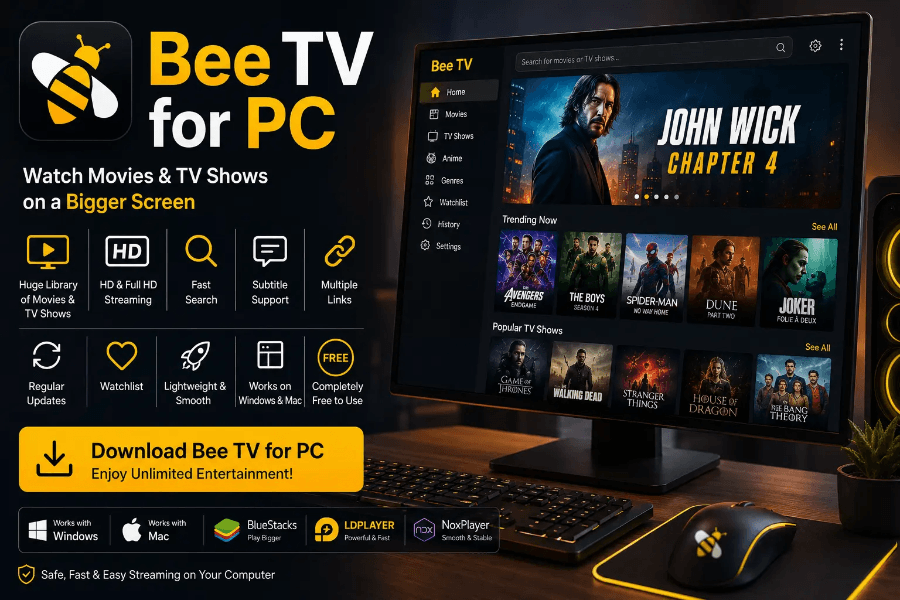
If you search for “how to get BeeTV,” you may quickly notice that the name refers to more than one streaming app. That distinction matters because one BeeTV service has an official app-store presence, while another widely discussed BeeTV version circulates as a third-party Android APK.
Therefore, before downloading anything, identify which BeeTV you actually want. The safest installation method depends on the version, your device, and your location.
This guide explains how to get BeeTV on Android, Smart TV, Fire TV, and computers, and covers compatibility, security, and legal considerations.
What Is BeeTV?
The name BeeTV commonly refers to two different services.
First, BeeTV Kazakhstan is a commercial streaming platform associated with Beeline Kazakhstan. Its official Android application is listed on Google Play as “BeeTV (Kazakhstan)” by QazCode. The service offers television channels, movies, series, cartoons, and other entertainment content. Additionally, its Google Play listing states that users can watch on Android TV, Smart TVs, phones, tablets, and computers.
However, many English-language searches for BeeTV refer to a different Android application. This version usually circulates as an APK outside major app stores and aggregates links to movies and television shows from third-party sources.
Consequently, you should not assume that every website offering a “BeeTV APK” distributes the same application.
How to Get BeeTV on Android
If you want the official BeeTV Kazakhstan service, Android provides the simplest installation method.
Open the Google Play Store and search for “BeeTV (Kazakhstan).” Then, confirm that the listing identifies QazCode as the developer before installing it. The current Google Play listing has millions of downloads and was updated in July 2026.
After installation, open the application and follow its registration or login process. Depending on your subscription and location, you can then select available television channels, movies, or other content.
Using the Play Store also gives you several advantages. For example, Android can handle updates automatically, while Google Play provides developer information, permissions, reviews, and security-related details in one place.
Therefore, when an official store version is available, it is usually preferable to download the APK manually.
How to Get BeeTV on a Smart TV
BeeTV Kazakhstan also supports several television platforms.
According to BeeTV’s own service information, the app supports Samsung and LG Smart TVs from 2016 onward. Additionally, BeeTV has published instructions for finding the app directly through the television’s built-in app store.
The process is straightforward:
- Open your television’s app store.
- Search for BeeTV.
- Select the official BeeTV application.
- Install it.
- Sign in or register using the supported account method.
Android TV devices can also support BeeTV. However, compatibility can vary by device, region, and software version.
Therefore, search your TV’s official app store before trying any alternative installation method.
Can You Get BeeTV on a Fire TV Stick?
This is where the answer becomes more complicated.
The third-party BeeTV APK, frequently mentioned in Fire TV guides, does not have a standard Amazon Appstore installation path. Instead, many websites instruct users to sideload an Android APK.
However, there is an important problem: current search results show multiple websites claiming to distribute an “official” BeeTV APK, each advertising different versions and publishers. In other words, identifying one trustworthy, canonical source can be difficult.
Therefore, downloading a random BeeTV APK simply because a website calls it “official” carries additional risk.
If you want streaming apps on a Fire TV Stick, first search the Amazon Appstore for a licensed service available in your region. If BeeTV does not appear there, consider whether you really need to install software from an unknown publisher.
What About the Unofficial BeeTV APK?
The unofficial BeeTV application remains popular because it presents movies and television shows in a single interface. However, it generally relies on external streaming sources rather than operating like a traditional licensed streaming platform.
As a result, availability can change frequently. Links may disappear, servers may stop working, and different APK versions may behave differently.
Additionally, APK files can be repackaged by third parties. That means two files carrying the same application name may contain different code.
For example, a 2025 malware sandbox report for one file named “BeeTV-v4.2.3Ad-Free.apk” returned a malicious-activity verdict. That result does not prove that every application using the BeeTV name contains malware. However, it demonstrates why downloading unofficial copies from random sites deserves caution.
How to Check Whether a BeeTV Download Is Safe
Before installing any app outside an official store, verify as much information as possible.
In particular, check:
- Who publishes the application
- Whether the developer has a verifiable website
- Whether an official app store lists the same developer
- What permissions the application requests
- Whether independent security scanners flag the file
- Whether the version number matches reliable publisher information
Additionally, avoid APK websites that require unusual browser extensions, notification permissions, or unrelated downloads before providing the app.
You should also question permissions that do not match an application’s function. For example, a basic streaming app normally should not require extensive access to calls, contacts, messages, or unrelated device information.
Therefore, pay attention to Android’s permission prompts rather than automatically approving everything.
How to Get BeeTV on a Computer
If you mean BeeTV Kazakhstan, you do not necessarily need an Android application on your computer.
The official Google Play description states that users can access the service from a computer through the BeeTV website.
Consequently, using the web version may be easier than installing an Android emulator or downloading desktop software.
Open the official BeeTV Kazakhstan website, sign in, and check which subscriptions or content options are available in your region.
Meanwhile, avoid downloading unofficial “BeeTV for Windows” installers unless you can verify the publisher. A website may simply repackage unrelated software under a familiar streaming name.
Is BeeTV Free?
The answer depends on which BeeTV service you mean.
BeeTV Kazakhstan offers both free and paid content options. Its Google Play listing describes a BeeTVFREE section and also mentions subscription packages and trial access.
Meanwhile, the unofficial BeeTV APK generally markets itself as offering free access to movies and TV links.
However, “free” does not automatically mean licensed. Therefore, verify whether the content provider has permission to distribute the movie, series, or channel you want to watch.
Copyright and streaming rules also vary by country. Consequently, users should stick to content they are legally entitled to access.
What If BeeTV Will Not Install?
If you use the official BeeTV application and the installation fails, start with basic troubleshooting.
First, restart your device and check your internet connection. Next, make sure your device has enough storage and runs a supported operating system.
Additionally, update your TV, Android device, or streaming box to the latest available software.
If BeeTV previously worked but now crashes, clear the application’s cache before reinstalling it. However, remember that removing an app may also remove locally stored settings or downloads.
Finally, reinstall only from the same verified store or publisher you originally used.
Are There Alternatives to BeeTV?
Yes. If your main goal is to watch movies and shows without adding another paid subscription, several licensed ad-supported streaming services may offer free content, depending on your country.
Options can include services such as Tubi, Pluto TV, Plex, YouTube, and broadcaster-supported streaming apps. However, availability and libraries vary by region.
Therefore, search your device’s official app store first. This approach usually offers better security, easier updates, and more predictable streaming quality.

Final Thoughts
So, how do you get BeeTV?
If you mean BeeTV Kazakhstan, use its official app store listing or supported Smart TV platform. Android users can find the QazCode application on Google Play, while owners of compatible TVs can search their TV’s built-in app store. Computer users can access the service through its website.
However, if you mean the unofficial BeeTV APK commonly promoted for Android and Fire TV devices, the situation carries more uncertainty. Multiple sites distribute different APK versions, making it difficult to verify the original publisher.
Therefore, avoid installing random BeeTV files simply because a download page labels them “official.” Instead, use verified app stores whenever possible, review permissions carefully, and choose licensed streaming alternatives when you cannot verify an application’s origin.