📑Table of Contents:
- Can You Watch Movies That Are Still in Theaters on Firestick?
- Start With Fire TV Search
- Use Prime Video for New Digital Releases
- Understand Renting Versus Buying
- Use the Apple TV App on Firestick
- Try Fandango at Home in the United States
- Check the Studio’s Streaming Service
- What Does “Premium Video on Demand” Mean?
- Why Can’t I Find a Movie That’s Currently in Theaters?
- Should You Sideload Apps Promising Free Theater Movies?
- How to Find a New Movie as Soon as It Becomes Available
- Do You Need a Prime Subscription?
- Can You Watch New Movies in 4K on Firestick?
- How to Watch In-Theater Movies on Firestick: Final Answer
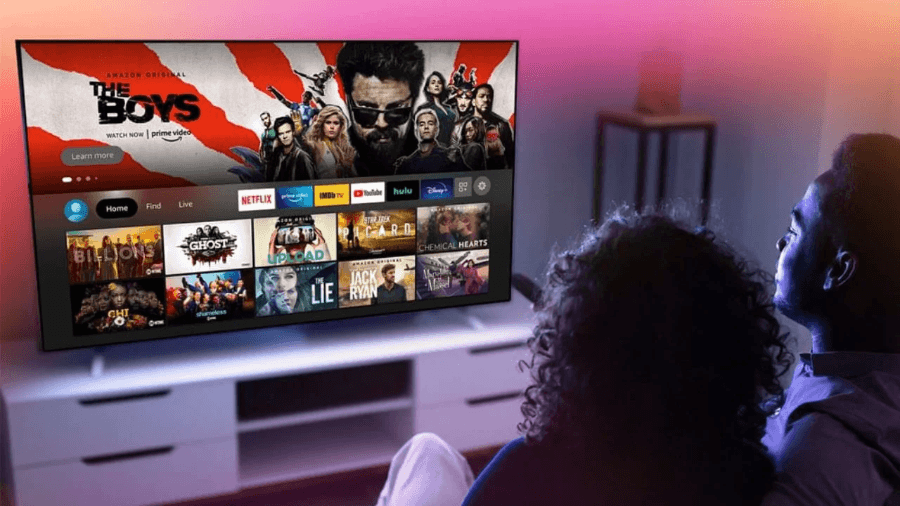
If you want to know how to watch in-theater movies on Firestick, the answer depends on whether the movie has received an official digital release. Some films become available to rent or buy at home while they are still playing in cinemas. However, other movies remain theater-exclusive until the studio opens a digital or streaming window.
Therefore, there is no single Firestick app that legally provides every movie currently playing in theaters.
Instead, the best approach is to search official stores such as Prime Video, Apple TV, Fandango at Home, and the streaming service that holds the movie’s distribution rights.
Fortunately, Fire TV makes that process relatively simple.
Can You Watch Movies That Are Still in Theaters on Firestick?
Sometimes.
Studios increasingly release certain films through premium video on demand, often called PVOD, before the theatrical run completely ends.
Consequently, you may see a movie available for digital purchase or premium rental while local cinemas continue showing it.
However, this does not happen with every release.
Some studios keep major titles exclusive to theaters for a period before offering them digitally. Therefore, if an official rental, purchase, or streaming listing is not yet available, you will typically need to wait for the home release.
A Firestick changes where you can watch available content, but it does not change studio distribution rights.
Start With Fire TV Search
The easiest method starts directly from the Fire TV home screen.
Select Find or Search and type the movie title. Alternatively, use the Alexa button on your remote and say the title.
Fire TV can show results from Prime Video and several supported streaming providers.
Therefore, you can immediately see whether the movie is available via subscription, rental, or digital purchase.
Look carefully at the options.
A Result May Say:
- Rent
- Buy
- Included with Prime
- Watch with a subscription
- Available through another app
- Coming soon
If the movie only shows theatrical information without a viewing option, an official home release probably hasn’t arrived yet.
Use Prime Video for New Digital Releases
Prime Video offers one of the simplest ways to watch recently released movies on a Fire TV Stick.
Open Prime Video and search for the movie you want.
If Amazon offers a digital version, you may see separate buttons to rent or buy it.
Moreover, you do not always need a Prime membership to purchase individual movies through the Prime Video Store.
Rental and purchase prices vary depending on the movie, release timing, resolution, and region.
New theatrical releases often cost more than older rentals. However, prices commonly fall after the movie has spent more time in the home-video market.
Therefore, checking again a few weeks later may reveal a cheaper rental option.
Understand Renting Versus Buying
Renting usually gives you temporary access to a movie.
Once you start watching, the provider normally gives you a limited period to finish it. Meanwhile, purchasing adds the digital title to your account library under the retailer’s terms.
Therefore, renting makes sense when you only expect to watch the movie once.
Buying may offer better value if several family members want to watch at different times or if you expect to revisit the film later.
However, always check the specific rental conditions before paying, as viewing periods can vary by service and country.
Use the Apple TV App on Firestick
The Apple TV app also works on Amazon Fire TV devices.
It offers access to Apple TV programming along with a large catalog of movies available for rental or purchase in supported regions.
However, Fire TV has an important limitation.
Apple’s current support guidance states that users generally cannot purchase third-party movie content directly within the Apple TV app on Amazon Fire TV.
Instead, buy or rent the movie on a supported phone, tablet, computer, or other device using the same Apple Account.
Then open the Apple TV app on your Fire TV Stick.
Your eligible purchase should appear in your library, allowing you to watch it on the television.
Therefore, the process requires one additional step compared with purchasing directly through Prime Video.
Try Fandango at Home in the United States
U.S. viewers can also check Fandango at Home, formerly known as Vudu.
The service specializes in digital movie rentals and purchases and frequently features premium new releases.
Moreover, Fandango at Home supports Amazon Fire TV devices.
Install the app from the Amazon Appstore if your Fire TV model and region support it.
Then sign in and search for the movie.
If a digital version exists, you may see rental, purchase, or occasionally promotional viewing options.
However, Fandango at Home primarily serves the U.S. market.
Therefore, viewers outside the United States should rely on the digital retailers available in their country.
Check the Studio’s Streaming Service
Some movies move quickly from theaters to streaming subscriptions.
Therefore, it helps to know which company distributed the film.
Depending on the title and country, new releases may eventually appear on services such as:
- Disney+
- Hulu
- Netflix
- Prime Video
- Peacock
- Paramount+
- HBO Max
- Apple TV
However, a movie’s theatrical distributor does not always guarantee exactly where or when it will stream.
Licensing agreements can also differ between countries.
Consequently, searching the Fire TV home screen often works better than assuming a particular service will carry the movie.
What Does “Premium Video on Demand” Mean?
Premium video on demand refers to a movie that becomes available for digital rental or purchase relatively early in its release cycle.
Often, the movie may still be playing in some theaters.
However, PVOD does not mean the movie becomes part of your regular streaming subscription.
Instead, studios typically charge separately for early access.
Therefore, you might find a movie available for premium rental several weeks before it becomes available on a subscription service.
Later, the same title may become available through a cheaper standard rental or through Netflix, Prime Video, Peacock, Disney+, or another platform.
Waiting can therefore save money if you do not need to watch immediately.
Why Can’t I Find a Movie That’s Currently in Theaters?
The most likely reason involves release timing.
A studio may not have released the movie digitally yet.
Additionally, your country may have a different release window from the United States.
For example, a film might become available for rent in one country while remaining theatrical-only elsewhere.
Therefore, always check availability for your region rather than assuming a release date applies worldwide.
Another possibility involves exclusivity.
A movie may launch first on one digital store or streaming platform before reaching others.
Consequently, checking several legitimate services can sometimes help.
Should You Sideload Apps Promising Free Theater Movies?
Be cautious.
Websites and unofficial Firestick apps sometimes promise free access to every current theatrical movie.
However, those offers often rely on unauthorized copies or questionable third-party streams.
Additionally, installing unknown APK files can expose your Fire TV account, network, or other devices to security risks.
Therefore, avoid disabling security protections to install an unfamiliar movie app.
A VPN does not make an unauthorized stream legal, either.
Instead, use apps from reputable providers and the official Amazon Appstore whenever possible.
How to Find a New Movie as Soon as It Becomes Available
You can use a simple routine.
First, search the title through Fire TV.
Then check Prime Video for a rental or purchase option.
Next, check Apple TV and, in the United States, Fandango at Home.
Additionally, search the streaming service most closely associated with the studio.
If none of them offers the film, the movie probably has not reached its legal home-viewing window in your region.
Therefore, check again after its theatrical release progresses.
Digital release dates can sometimes arrive with relatively little advance notice.
Do You Need a Prime Subscription?
Not necessarily.
A Firestick works with many separate streaming services.
Moreover, Prime Video sells or rents individual titles that may not form part of the Prime subscription library.
Therefore, seeing a movie on Prime Video does not automatically mean Prime members can watch it at no extra cost.
Check the title page carefully.
“Included with Prime” means the subscription currently covers it.
“Rent” or “Buy” means you need to pay separately.
Similarly, other streaming apps may require their own subscriptions.
Can You Watch New Movies in 4K on Firestick?
Yes, when several conditions line up.
You need a compatible Fire TV Stick model, a 4K television, adequate internet bandwidth, and a 4K version of the content from the streaming provider.
Additionally, some titles are available in 4K only when purchased, not when rented.
HDR and Dolby Atmos availability also depends on the movie, Fire TV model, television, sound equipment, and service.
Therefore, check the movie’s format information before paying extra for a premium version.

How to Watch In-Theater Movies on Firestick: Final Answer
You can watch a movie that is still playing in theaters on Firestick only when the studio has officially released a digital or streaming version.
Start by searching for the movie through Fire TV. Then check Prime Video, Apple TV, Fandango at Home where available, and the major streaming services.
If the title is available for premium rental or purchase, you can watch it legally at home even while some theaters still show it.
However, if the movie remains theatrical-only, no legitimate Firestick setting or app can bypass that release window.
Therefore, the safest approach is to wait for the official digital release rather than install unknown apps that promise free access to current cinema movies.
Ultimately, Firestick gives you plenty of ways to watch new releases—but the movie studio still decides when home viewing begins.