📑Table of Contents:
- What Is AirBrush AI Photo Enhancer?
- How AI Photo Enhancement Works
- Best Uses for AirBrush AI Photo Enhancer
- AirBrush for Social Media Creators
- AirBrush for Small Businesses and Marketing
- Benefits of Using AirBrush AI Photo Enhancer
- Limits of AI Photo Enhancement
- Privacy and Ethical Considerations
- Tips for Better Results
- Final Thoughts

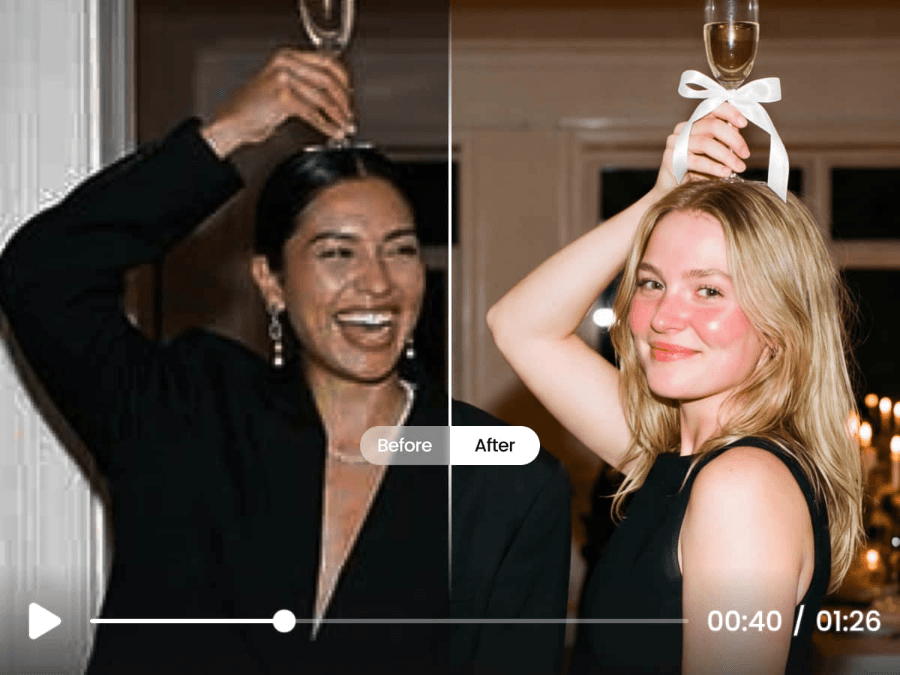
AirBrush AI Photo Enhancer gives everyday users a faster way to improve blurry, dull, or low-quality photos without having to learn complicated editing software. Instead of manually adjusting sharpness, contrast, brightness, noise, and resolution, users can upload an image and let AI make quick improvements. As a result, the tool appeals to social media creators, small businesses, photographers, students, marketers, and anyone who wants cleaner visuals with less effort.
However, AI photo enhancement works best when users understand what it can and cannot do. AirBrush can improve clarity, upscale resolution, smooth imperfections, and polish portraits. Nevertheless, it cannot always rescue a severely blurred image or recreate details with perfect accuracy. Therefore, the smartest approach combines AI speed with human judgment.
What Is AirBrush AI Photo Enhancer?
AirBrush AI Photo Enhancer is an AI-powered image improvement tool from AirBrush, a photo and video editing platform available across web, mobile, desktop, iOS, Android, Mac, and PC. The enhancer focuses on improving photo quality by sharpening details, increasing resolution, and making images look clearer and more polished.
AirBrush positions its editor as a simple tool for everyday users, not just professional designers. Additionally, the platform includes related tools such as AI retouch, image eraser, background remover, face editor, AI makeup, photo filters, and photo color changes. With that broader toolkit, users can enhance a photo first and then continue editing it within the same ecosystem.
This makes AirBrush useful for quick workflows. For example, a creator can sharpen a selfie, remove a distracting background object, adjust lighting, and prepare the image for Instagram or TikTok without switching between multiple apps.
How AI Photo Enhancement Works
AI photo enhancers analyze an image and predict how to improve it. Instead of simply stretching pixels as older upscaling tools do, modern AI tools compare patterns, edges, textures, faces, and lighting. Then, they sharpen lines, reduce noise, improve contrast, and sometimes generate missing detail.
This process can make a soft image look clearer. Moreover, it can help small images look better when enlarged for websites, social posts, presentations, or prints. However, the AI does not truly “recover” every lost detail. In some cases, it estimates what should appear based on patterns it learned from other images.
Therefore, users should check the results carefully. If an enhancer adds an unusual skin texture, changes facial features, oversharpenes hair, or creates fake-looking details, reduce the effect or try a different edit.
Best Uses for AirBrush AI Photo Enhancer
AirBrush AI Photo Enhancer works especially well for everyday photo problems. It can improve images that look slightly blurry, low-resolution, grainy, flat, or poorly lit. Additionally, it can help users prepare photos for digital platforms where sharp visuals matter.
Good use cases include:
- Selfies and portraits
- Social media posts
- Profile pictures
- Product photos
- Blog images
- Travel photos
- Old family pictures
- Event photos
- Real estate previews
- Presentation graphics
- Creator thumbnails
For portraits, AirBrush has an advantage because the broader app already focuses heavily on face and beauty editing. Therefore, users can enhance clarity and then adjust skin, makeup, hair, or background details if needed.
For brands, the enhancer can make product and lifestyle images look more polished. However, product sellers should avoid edits that misrepresent the item. A sharper image helps customers, but unrealistic color changes or altered textures can reduce trust.
AirBrush for Social Media Creators
Social media rewards clear, bright, high-quality visuals. Because users scroll quickly, a blurry image can hurt engagement before someone even reads the caption. AirBrush AI Photo Enhancer helps creators quickly polish photos, especially when they need consistent content for Instagram, TikTok, Pinterest, YouTube thumbnails, or personal branding.
Additionally, creators often work with imperfect source images. A selfie may have low light. A behind-the-scenes shot may look grainy. A travel photo may lose detail after cropping. In those cases, enhancement can improve the final post without requiring a full Photoshop workflow.
However, creators should keep their style natural. Over-smoothed skin, overly bright eyes, or unrealistic sharpening can make a photo feel artificial. Therefore, the best edits usually improve the image while preserving the person’s real appearance.
AirBrush for Small Businesses and Marketing
Small businesses often need better visuals but lack a professional editing team. AirBrush AI Photo Enhancer can help business owners improve product photos, team portraits, event images, menu photos, and promotional graphics. Moreover, fast enhancement can make a website, online store, or social feed look more consistent.
For example, a boutique owner might enhance a product image before posting it on Instagram. A coach might sharpen a headshot for a website bio. A restaurant might improve a dish photo for a weekly special. Additionally, a freelancer might clean up a LinkedIn profile picture or a portfolio image.
Still, businesses should use AI responsibly. If a photo represents a product, venue, or service, the edit should not deceive customers—better lighting and clarity help. However, changing the item’s color, shape, or condition can create unrealistic expectations.
Benefits of Using AirBrush AI Photo Enhancer
The biggest benefit is speed. Traditional editing requires knowledge of exposure, contrast, sharpening, noise reduction, curves, masks, and resolution. AirBrush simplifies that process so beginners can get usable results in minutes.
Key benefits include:
- One-click enhancement
- Better image clarity
- Higher apparent resolution
- Reduced noise
- Sharper details
- Easy portrait cleanup
- Web, mobile, and desktop access
- Extra editing tools on the same platform
Additionally, AirBrush suits users who need fast results rather than technical control. A professional photographer may prefer advanced software for RAW files, but a casual creator may only need a clean, attractive final image.
Limits of AI Photo Enhancement
AI enhancement has limits. If a photo is extremely blurry, dark, compressed, or low-quality, the result may still look imperfect. Moreover, AI tools can create details that were not really in the original image. This matters especially for faces, documents, evidence, journalism, and product images.
Common issues include:
- Plastic-looking skin
- Over-sharpened edges
- Changed facial details
- Strange eyes or teeth
- Fake texture
- Color shifts
- Unnatural backgrounds
- Loss of original mood
Therefore, do not use AI enhancement unthinkingly. Always compare the before-and-after images. If the edit changes identity, product accuracy, or important details, choose a lighter adjustment.
Privacy and Ethical Considerations
Photo enhancement often involves uploading images to an app or online tool. Because photos can contain faces, locations, children, documents, homes, or private moments, users should review privacy policies before uploading sensitive images.
Additionally, ethical editing matters. Retouching a selfie for personal confidence differs from altering a news image, legal document, or product photo. Similarly, enhancing an old family picture can feel meaningful, but changing someone’s face too much may make the image less authentic.
A good rule is simple: improve quality, but do not distort truth. If the image documents reality, keep edits to a minimum. If the image supports creative content, you have more room to experiment.
Tips for Better Results
AirBrush AI Photo Enhancer works best with the strongest source image you can provide. Even though AI can improve weak photos, it performs better when the original image has decent lighting, focus, and composition.
Use these tips:
- Start with the highest-resolution version available
- Crop after enhancement, not before
- Avoid enhancing screenshots when possible
- Use natural lighting for new photos
- Check faces closely after editing
- Compare before and after results
- Avoid over-smoothing skin
- Save an original copy
- Export in the right size for your platform
Additionally, use enhancement as one step in a larger workflow. After sharpening and upscaling, you may still need to adjust framing, background, color, or contrast.

Final Thoughts
AirBrush AI Photo Enhancer offers a fast, beginner-friendly way to improve image quality. It can sharpen details, upscale photos, reduce visual flaws, and help users create cleaner images for social media, business, personal projects, and creative content. Moreover, its wider editing ecosystem makes it useful for people who want enhancement, retouching, background cleanup, and styling tools in one place.
Ultimately, the tool works best when users combine AI convenience with careful judgment. AirBrush can make photos look clearer and more polished, but it should not replace honesty, privacy awareness, or good photography habits. When used thoughtfully, it can turn ordinary images into stronger, sharper, and more shareable visuals.